What it does
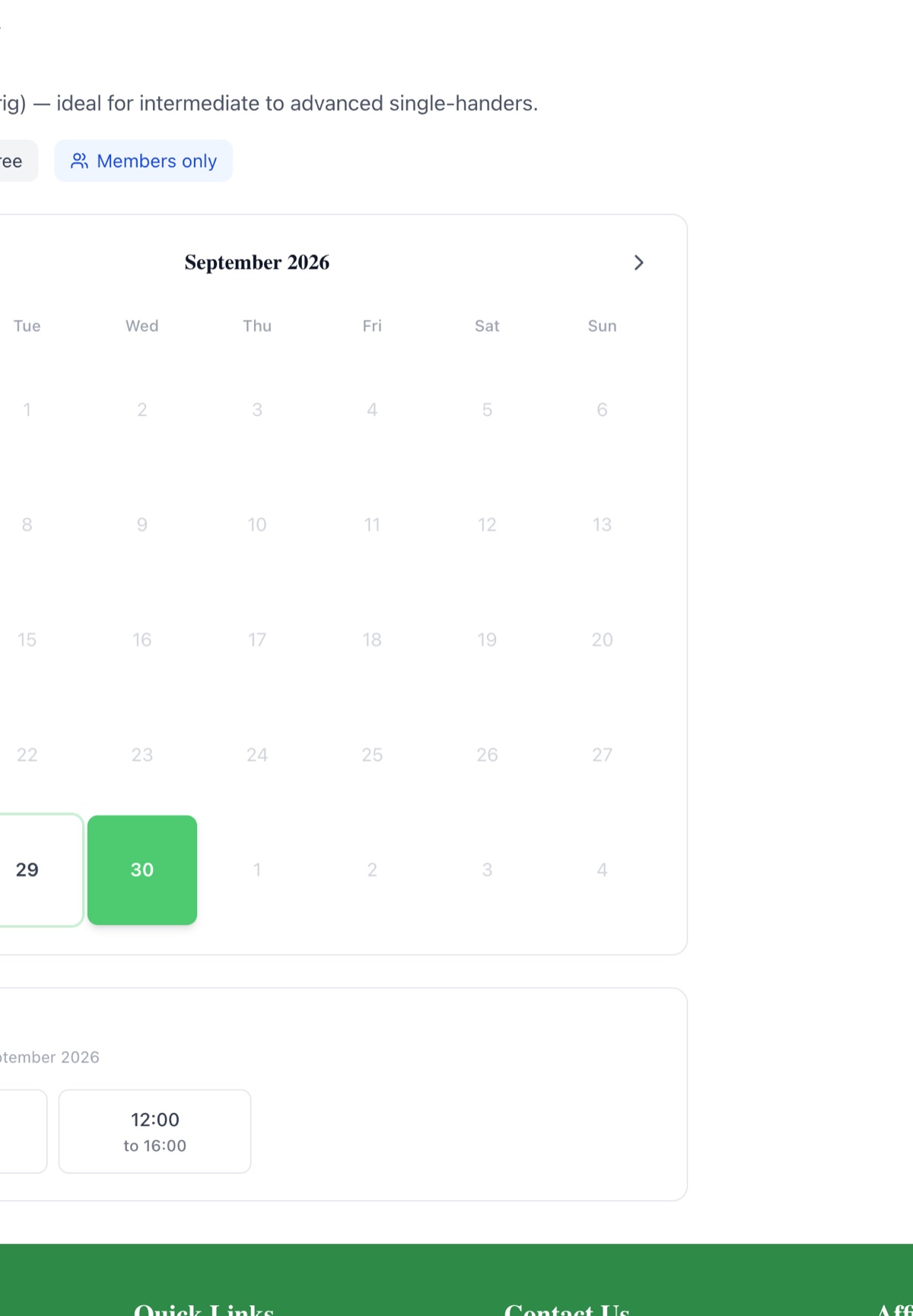
Anything your club lends out by the hour or the day becomes bookable online: club dinghies and RIBs, the slipway, the crane or hoist, a meeting room. Members open the club's Book Resources page, pick a resource, see a calendar showing only the dates with free slots, choose a time and book. Free resources are confirmed straight away. Paid ones go to a card checkout through the club's own Stripe account, and the booking is confirmed with a paid invoice and receipt the moment payment lands.
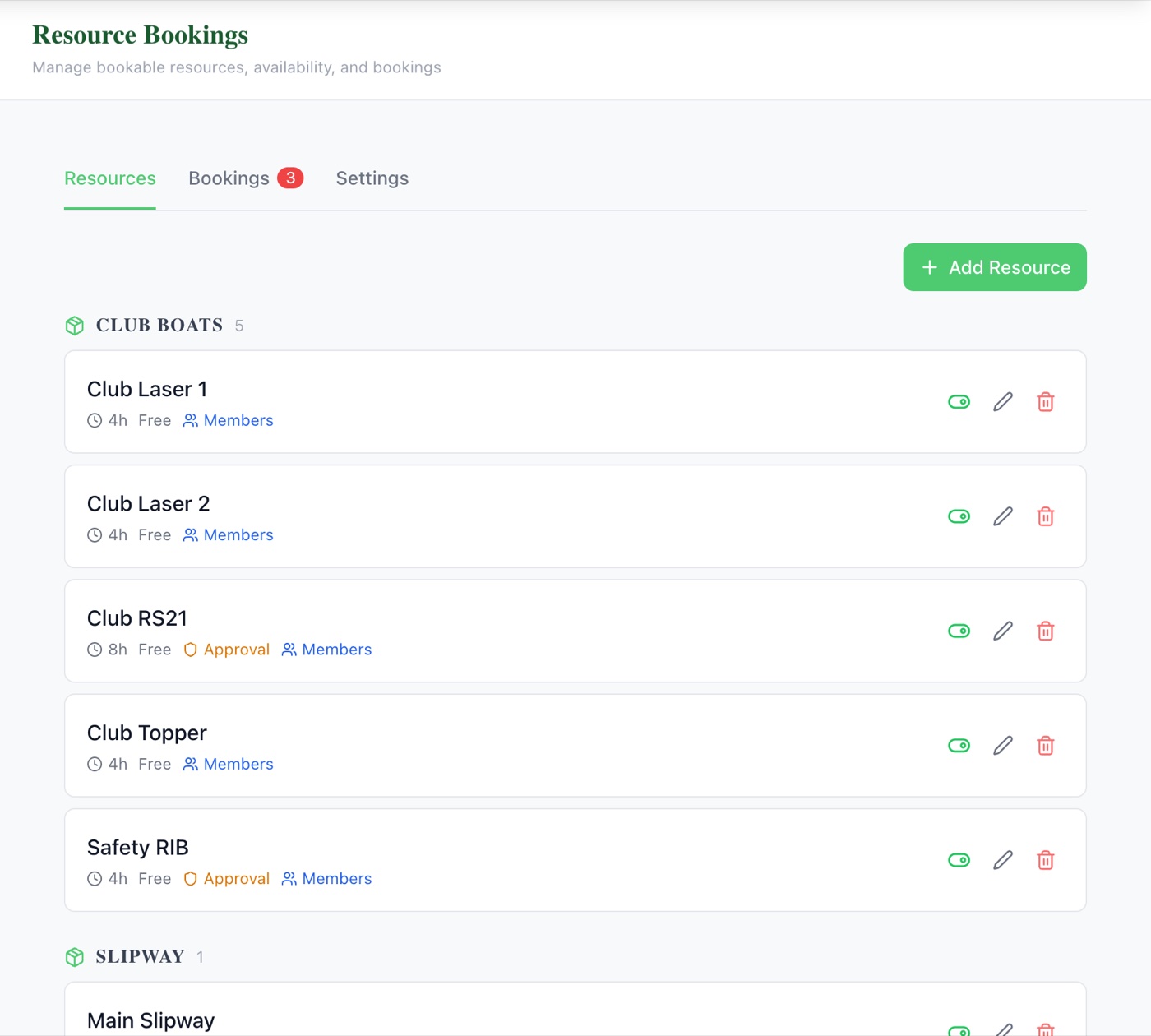
In the admin console, each resource is set up once: a name, a photo and description, its group (Club Boats, Slipway and so on), a slot length from 30 minutes to a full day, a price per slot or free, how far ahead people can book, and how many active bookings each member can hold. Weekly opening hours, one-off date changes and closed dates control exactly when it can be booked, and double-bookings are blocked automatically.
What sells it
- Any kind of resource: club boats, safety RIBs, the slipway, a crane or hoist, rooms or kit, grouped the way your members think about them
- Slot lengths from 30 minutes to a full day, with weekly hours, one-off date changes and closed dates
- Free or paid: card payment into the club's own Stripe account, with VAT from your Resource Booking revenue category
- Optional approval: requests wait for a committee member, and approved paid bookings get an invoice and a payment link
- Fair-use limits: how far ahead people can book and how many active bookings each member can hold
- Members only, or open to visitors: switch off "Members only" and non-members can book with their name and email
- No double-bookings: each slot can only be booked once
- Committee tools: approve requests, move a booking to another slot (the booker is emailed and the change is logged), cancel with a full card refund, record a refund made outside the system, or add a booking taken by cash or bank transfer
- Export to PDF or Excel by date range, status and resource type, with pending approvals and resource income on the admin dashboard
Why this matters
Most clubs run their boats and crane from a paper diary on the clubhouse wall, a WhatsApp group or one volunteer's inbox. Double-bookings happen, fees are chased by hand, and nobody can see who had the RIB last Saturday. Online booking puts the diary where members already are, takes the money up front, and gives the committee one list of every booking with its payment attached.
Frequently asked questions
See related features: Invoicing & Payments · Online Shop · back to Club Management Software.