Feature

Member Noticeboard

Club notices and member posts in the members area, moderated by the committee.

What it does

Members Noticeboard is the club's curated announcement board inside the members area. Each notice carries a title, full description, optional photo, contact info (phone, email, address — whatever the notice needs), and a free-text author name so a single admin can post on behalf of the Commodore, Berthing Officer, Social Secretary, or any individual member. The members-area listing shows every active notice as a card with cover photo, title, description preview, author, and posted date. The most recent entry is highlighted with a "Latest Notice" banner so members spot what is new at a glance.

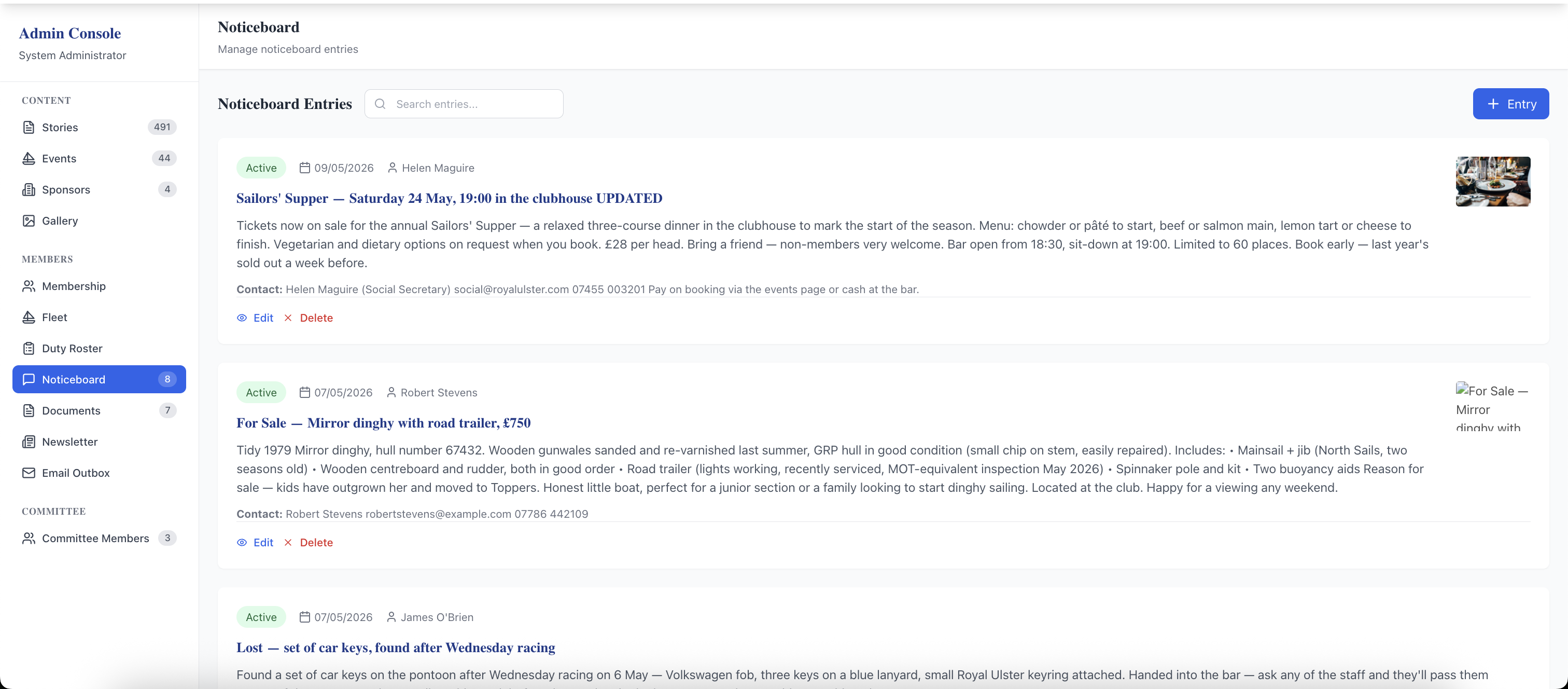
The admin Noticeboard Entries screen has search, an + Entry button, and one row per notice with active status badge, posted date, author, title, description preview, image thumbnail, and Edit / Delete actions. The Active / Inactive toggle takes a notice down with one click — handy when an event passes or a classified sells — without permanently deleting it, so an annual social can be reactivated next May rather than rewritten. Edits apply immediately on the members' view, and unauthenticated visitors never see the noticeboard.

What sells it

  • Photo, description, and contact info per notice — far more than a corkboard or a WhatsApp screenshot can hold
  • Free-text author field — one admin can credit notices to the right officer or member each time, no separate committee logins needed
  • Active / Inactive toggle — take notices down without deleting; reactivate next season for recurring socials and reminders
  • "Latest Notice" banner highlighting the most recent active entry — members spot what's new since they last visited
  • Mix of notice types on one board — classifieds, social flyers, lost-and-found, volunteer calls, committee reminders, one-off crew calls
  • Members-only by design — classifieds and contact details stay inside the club rather than on the public web
  • Newsletter integration — noticeboard items are tick-to-include in the Send Newsletter composer
  • Paginated listing for high-volume boards plus admin search by title

Why this matters

A photo of the clubhouse corkboard sent to a WhatsApp group is invisible to members who muted the group, impossible to search, and gone from view within hours as the chat scrolls. A built-in noticeboard stays visible until the committee deliberately takes it down, lets members find what they need by searching, and supports photos that wouldn't fit on a corkboard at all.

Frequently asked questions

The noticeboard is admin-managed — entries are added from the admin panel rather than directly by members. The author name on each entry is free text, so an admin can credit the notice to whichever officer or member it should come from (Commodore, Social Secretary, Berthing Officer, or an individual member). Members who want to post a classified typically email the relevant officer with the details and the officer adds it to the board.

See related features: Member Forum · Communications · back to Club Management Software.
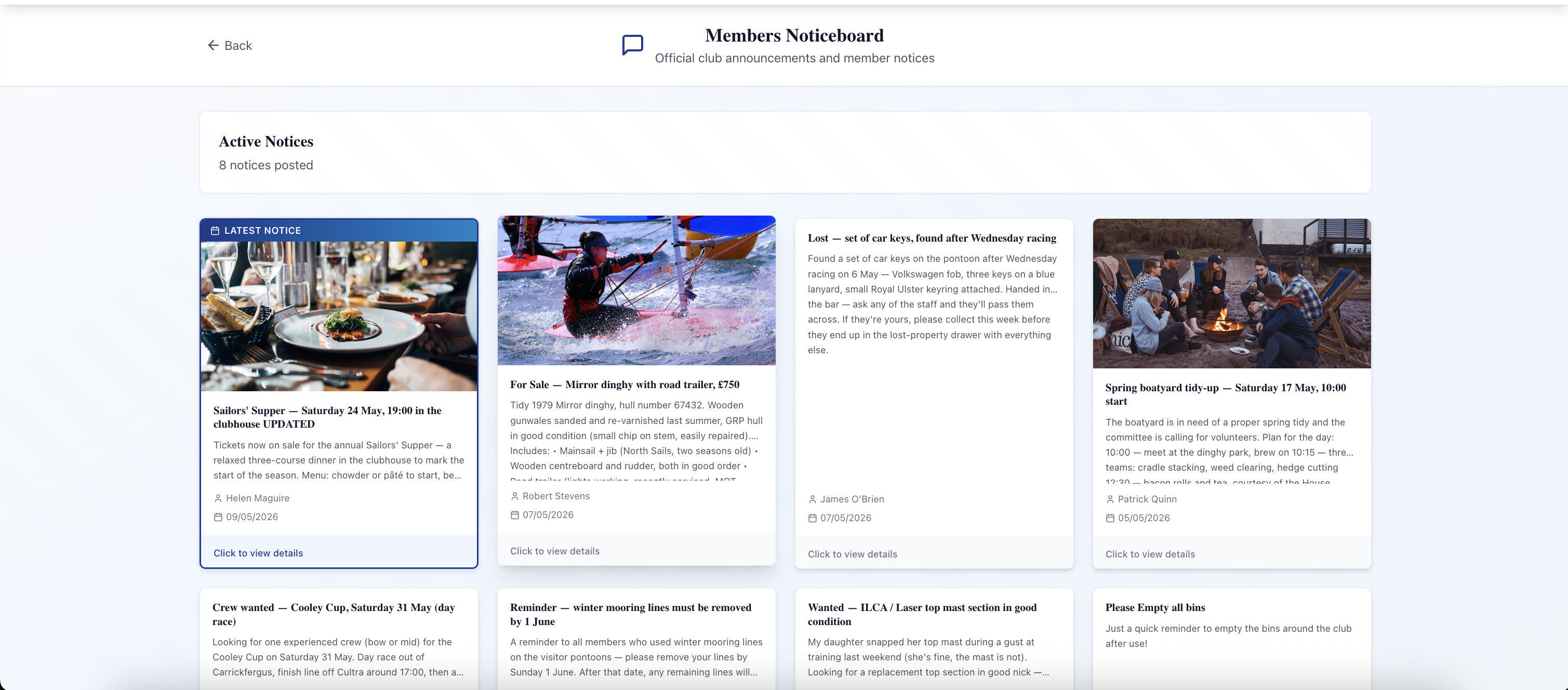
Members-area Noticeboard listing page for East Down Yacht Club. Header reads "Members Noticeboard — Official club announcements and member notices". Below it an "Active Notices — 8 notices posted" panel, then a grid of notice cards. The first card has a blue "LATEST NOTICE" banner at the top and a photo of a dinner table (the Sailors' Supper notice) — title, description preview, author "Helen Maguire" with date "9 May 2026". Other visible cards: a "For Sale — Mirror dinghy with road trailer £750" classified with a dinghy photo and Robert Stevens as author, a text-only "Lost — set of car keys found after Wednesday racing" by James O'Brien, a "Spring boatyard tidy-up — Saturday 17 May" notice with a volunteer-day photo by Patrick Quinn, plus three more text-only entries (Crew wanted — Cooley Cup, Reminder — winter mooring lines, Wanted — ILCA top mast, Please Empty all bins).
Members-area listing — every active notice appears as a card with cover photo (where one is attached), title, description preview, author, and posted date. The most recent entry gets a "Latest Notice" banner so members spot what is new without scrolling.
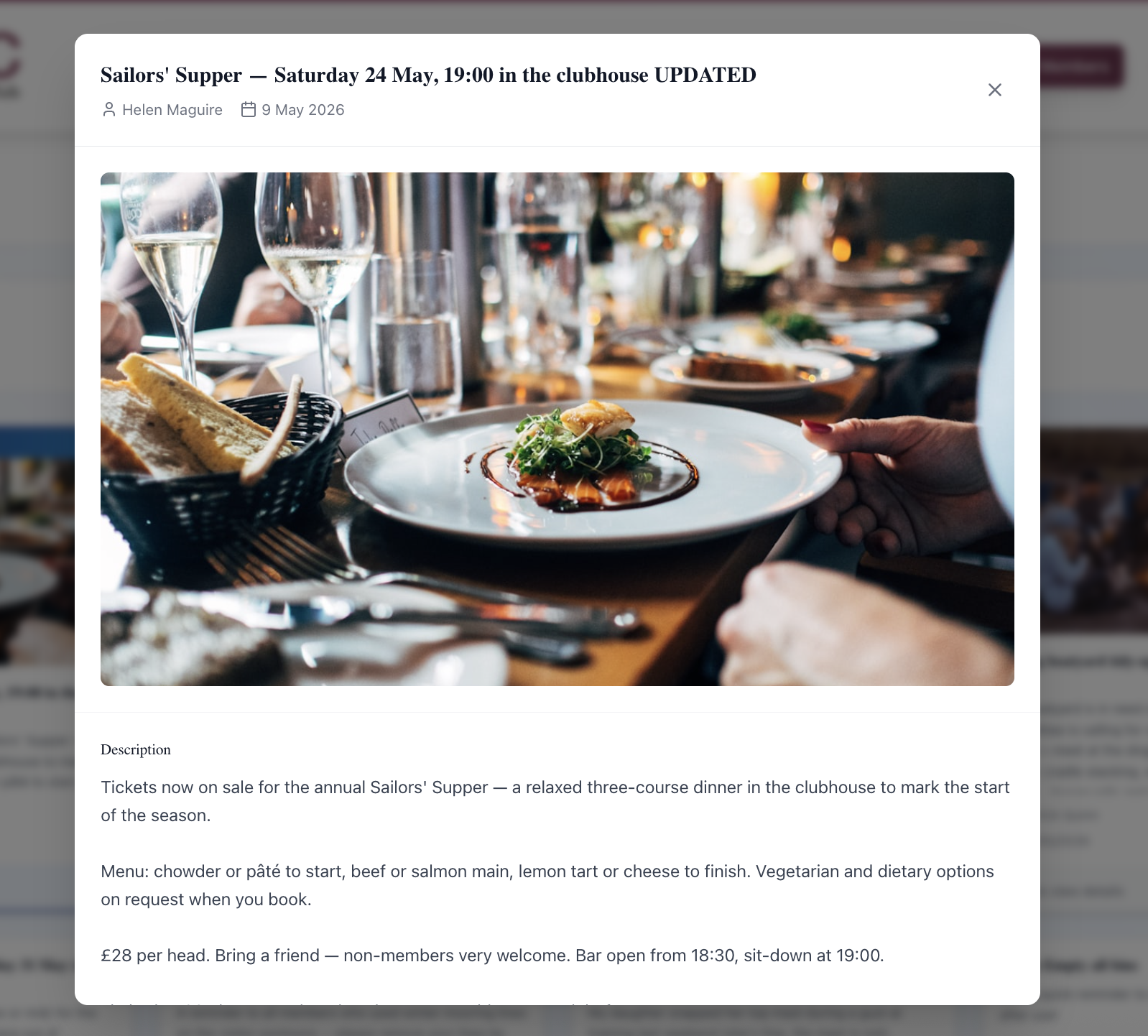
A noticeboard entry detail modal opened over the listing. Title "Sailors' Supper — Saturday 24 May, 19:00 in the clubhouse UPDATED", author "Helen Maguire" with date "9 May 2026", and a close (×) button top-right. Below the title a full-width photo of a candlelit dinner table with a plated main course. Below the photo a "Description" heading and three paragraphs describing the menu, ticket price, and booking details.
Notice detail view — full description, full-width photo, author, and posted date. Long descriptions render as proper paragraphs rather than being truncated like the card preview.
Admin Console Noticeboard page. Left sidebar with admin navigation (Stories, Events, Sponsors, Gallery, Membership, Fleet, Duty Roster, Noticeboard selected, Documents, Newsletter, Email Outbox, Committee Members). Main panel header reads "Noticeboard — Manage noticeboard entries", then a "Noticeboard Entries" panel with a search bar and a blue "+ Entry" button. Three entries visible: Sailors' Supper (Helen Maguire, 9 May, active badge, thumbnail of the dinner image, contact info line, Edit and Delete buttons), For Sale Mirror dinghy (Robert Stevens, active, thumbnail), Lost car keys (James O'Brien, active, no thumbnail). Each row shows an "Active" green badge, the posted date, the author, the title, the description preview, the contact info line, and Edit / Delete actions.
Admin Noticeboard Entries — search across entries, add a new one with the "+ Entry" button, and on every row see the Active status, author, title, body preview, contact info, and an image thumbnail. Edit updates the notice in place; the Active toggle takes it off the members' view without deleting it.

Related features

See Member Noticeboard in action — book a 20-minute walkthrough.