What it does
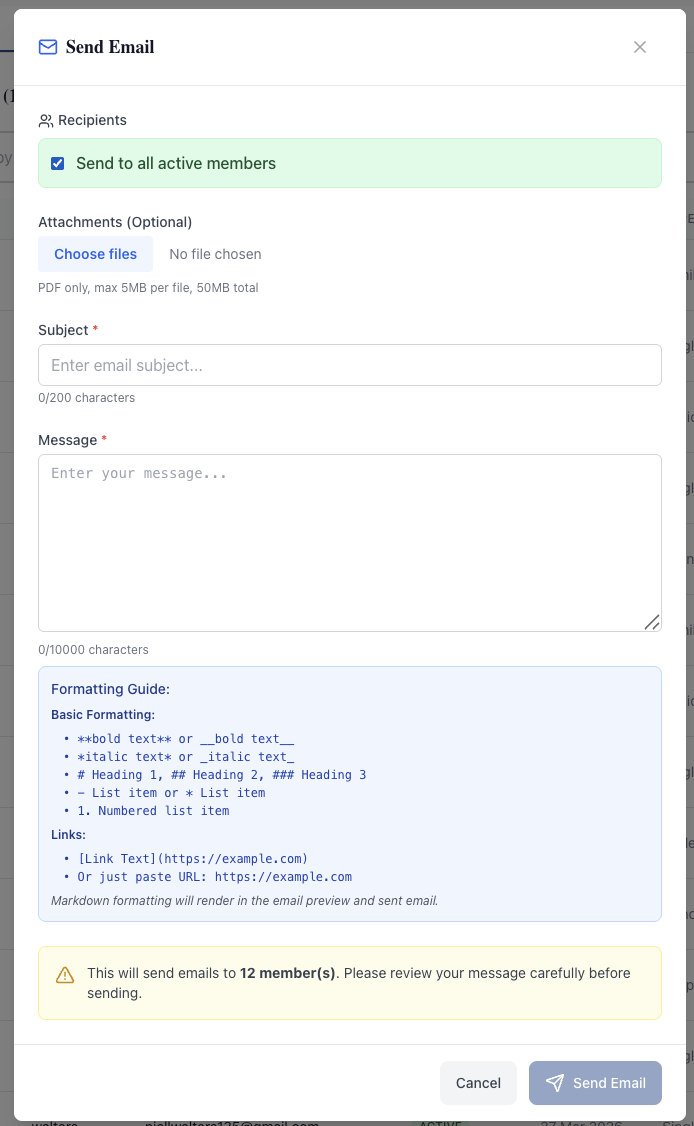
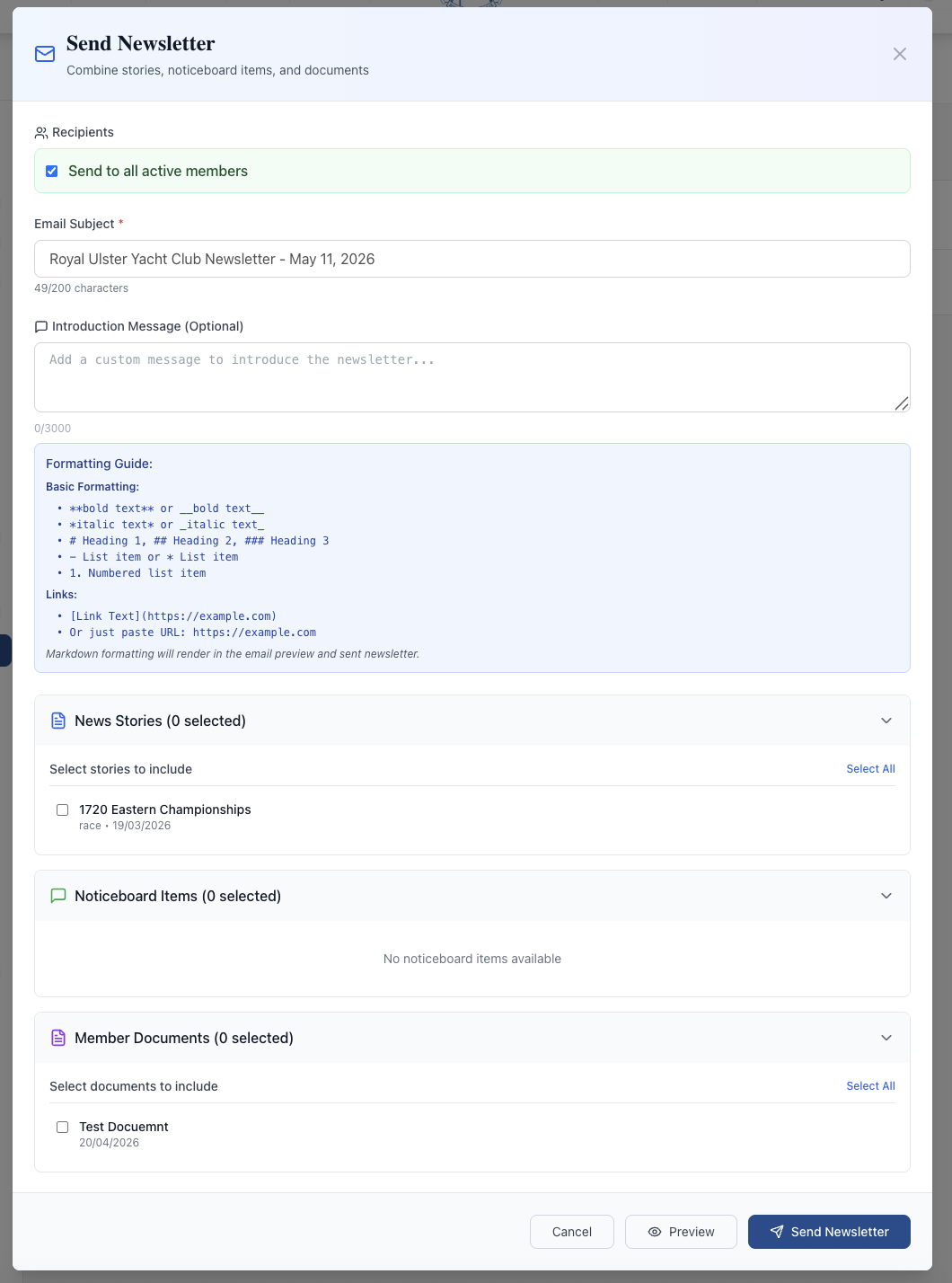
Two ways to email from the platform plus a complete record of every send. Send Email is for ad-hoc messages — pick recipients (all active members or a filtered subset), attach up to 50MB of PDFs, write a Markdown subject and body, see a pre-send count confirmation, dispatch. Send Newsletter is for curated broadcasts — same recipient picker plus expandable sections that let you tick which News Stories, Noticeboard Items, and Member Documents to include from the club's existing content. The platform composes them into one branded email with an introduction message and a Preview button so you see exactly what members will see before sending.
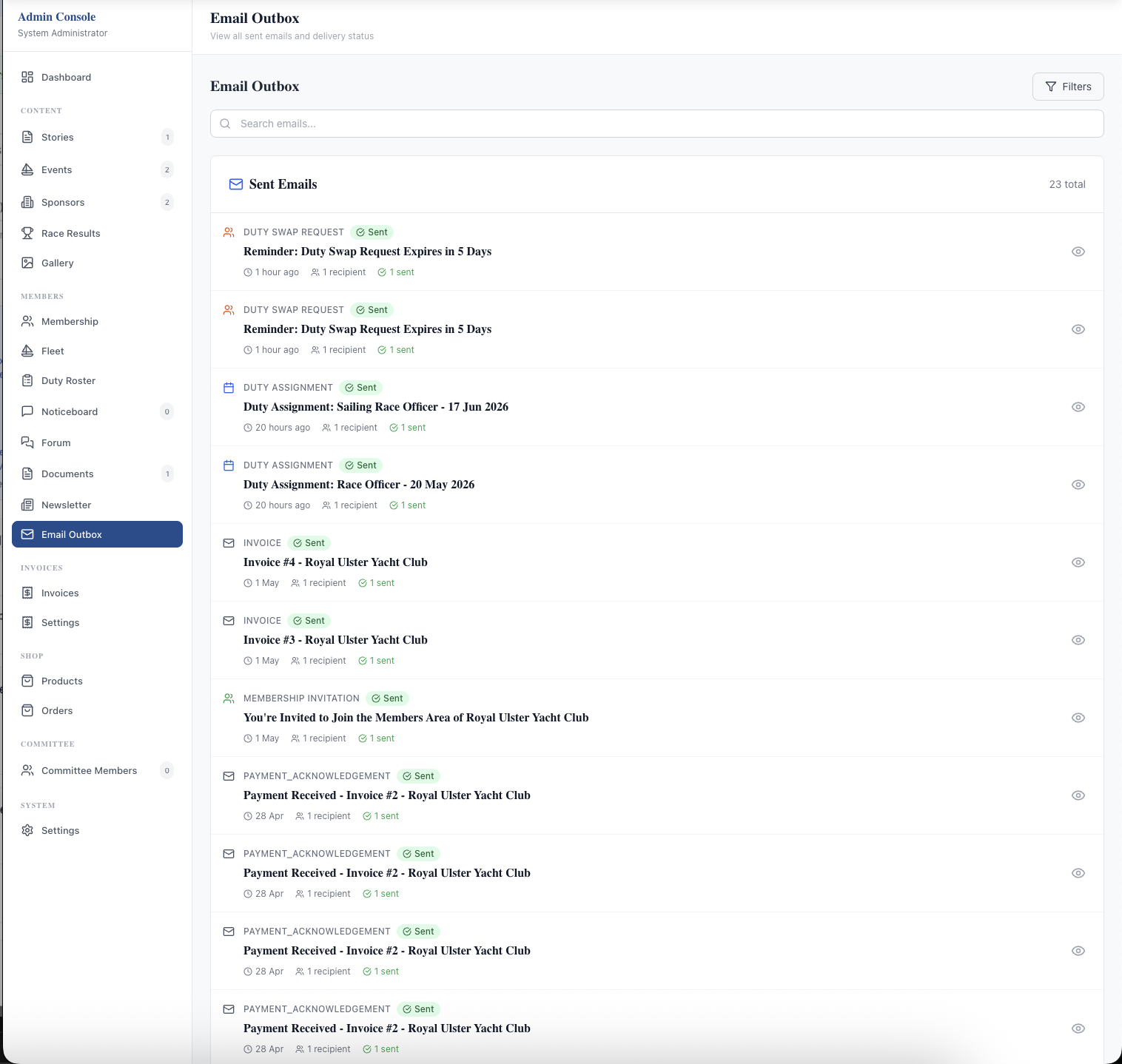
The Email Outbox logs every email the platform sends — manual newsletters and mass emails alongside the automated ones (membership invitations, duty assignments, duty-swap reminders, invoice issued, payment acknowledgements, event registration confirmations). Each entry shows category, subject, recipients, and send timestamp. Filterable, searchable, and proof that the club emailed when it said it did.
What sells it
- Content-aware newsletters — tick which News Stories, Noticeboard Items, and Member Documents to feature; the platform builds a branded email with deep links back to the club site
- Pre-send Preview on newsletters and a pre-send recipient-count confirmation on Send Email — no surprise dispatches
- PDF attachments up to 50MB total (5MB per file) on Send Email for sailing instructions, programmes, and one-off documents
- Recipient picker supports all active members or a filtered subset by membership type, status, or individual selection
- Markdown formatting with built-in guide (bold, italic, headings, lists, links) — rendered to branded HTML on send
- Full Email Outbox audit log — every platform email, automated and manual, with category, subject, recipients, and timestamp
- Automated categories captured — Duty Assignment, Duty Swap Request, Invoice, Payment Acknowledgement, Membership Invitation, Event Registration, Newsletter
- AWS SES delivery with a branded from-address — avoids the spam-filter issues that plague personal Gmail used for bulk sending
- Member notification preferences let members opt out of non-transactional categories from their account settings
Why this matters
Clubs running comms through a personal Gmail or a shared WhatsApp group have no record, no delivery confirmation, and no control over who's on the list — when the committee member running it steps down, the history and contacts go with them. Built-in email tied to the live member database means every active member receives the message, the outbox proves it was sent, and the history stays with the club.
Frequently asked questions
See related features: News & Content · Member Noticeboard · back to Club Management Software.