What it does
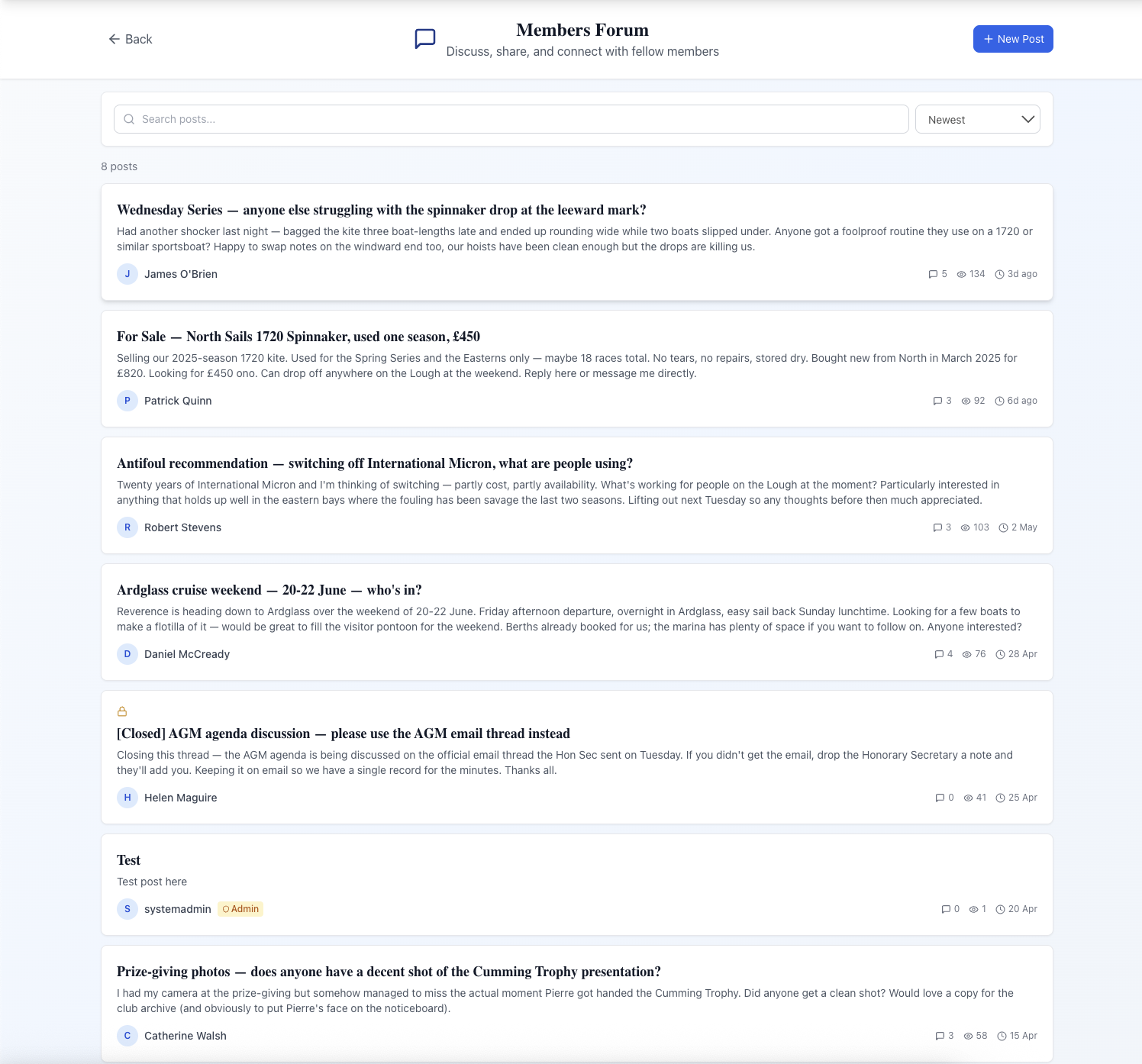
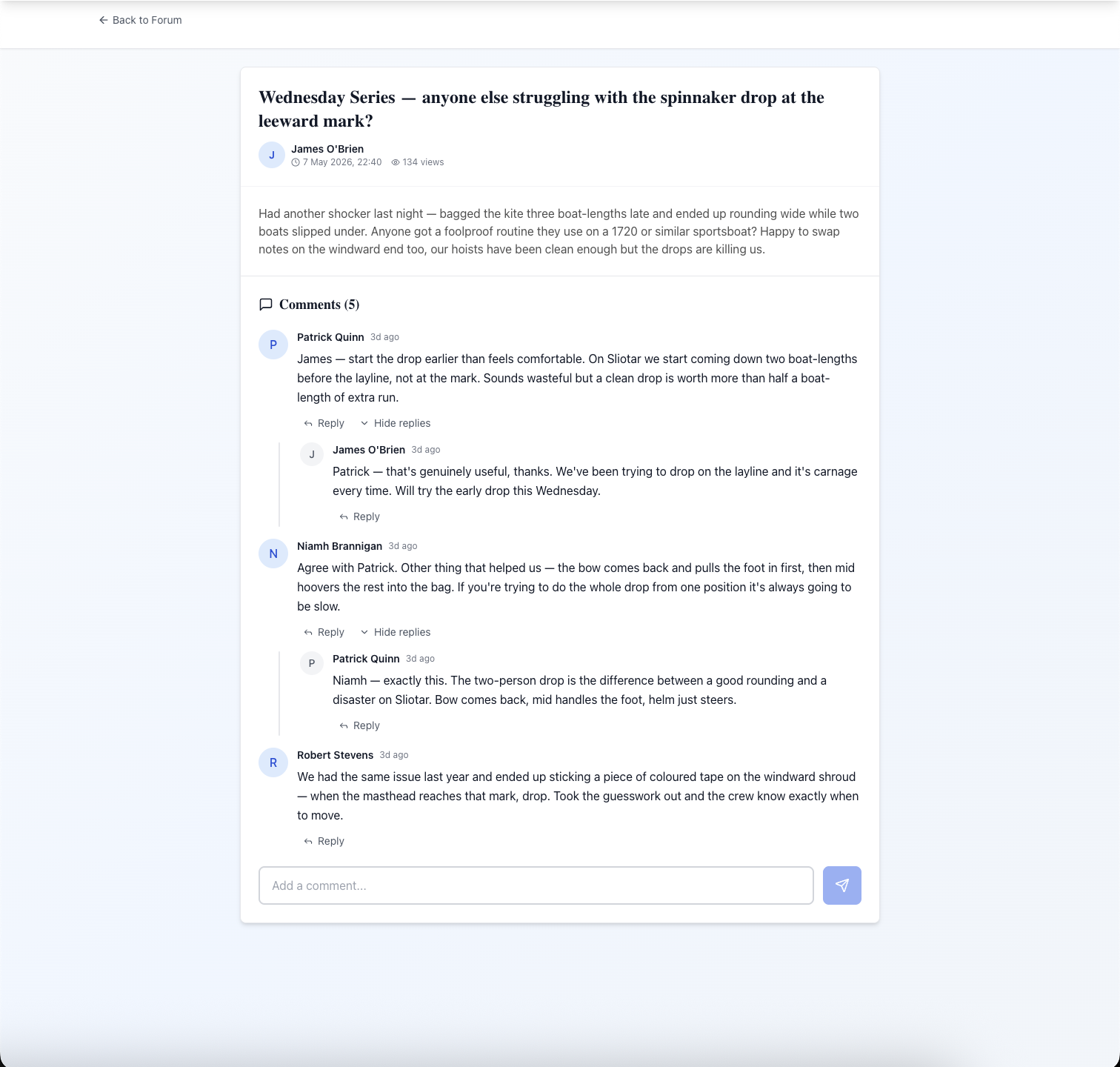
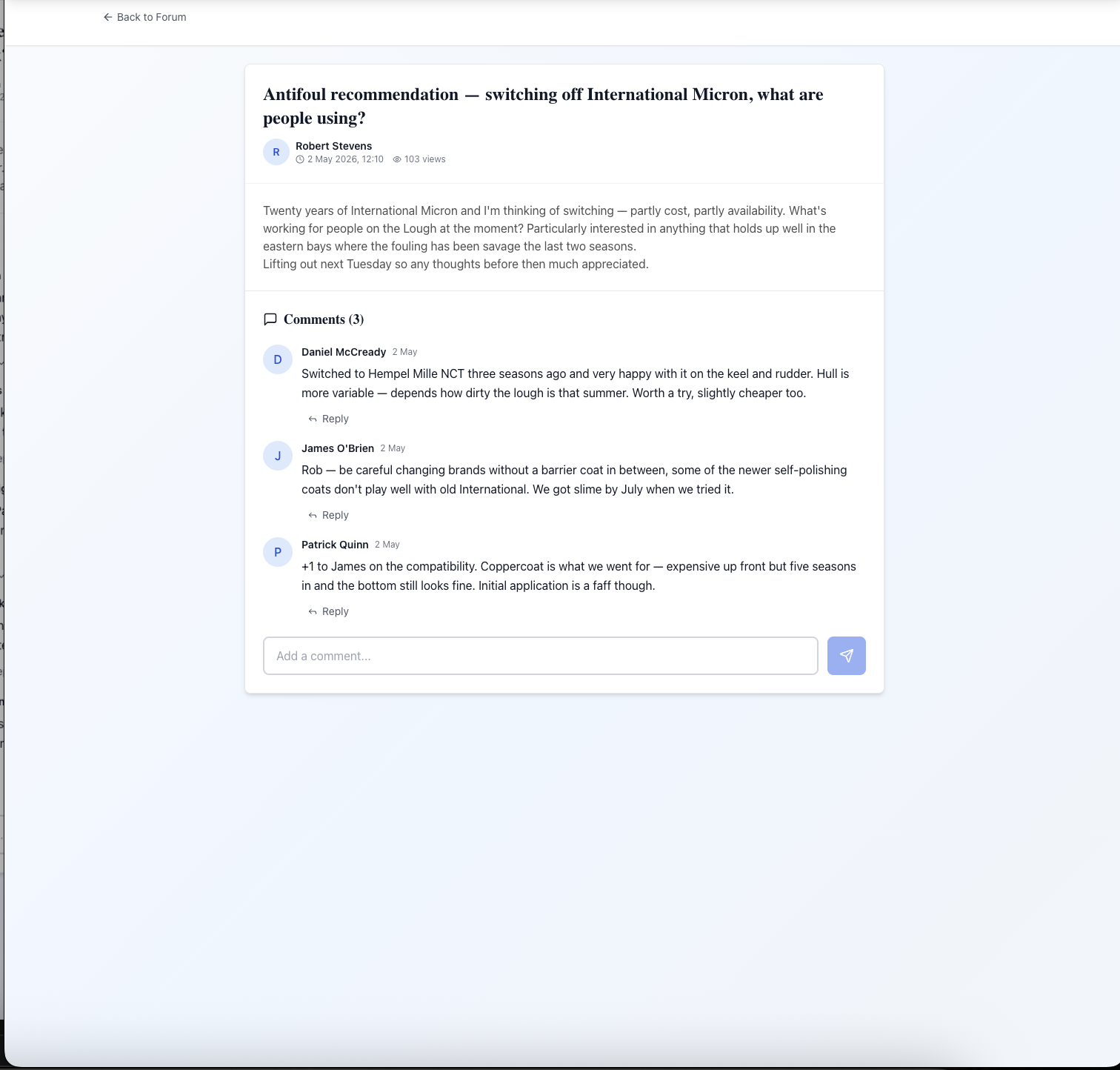
Member Forum is a members-only discussion board built into the platform — no separate tool, no additional login. Members start posts from a New Post button with a title and Markdown body (bold, italic, links, headings, code, lists, blockquotes, horizontal rules). Replies form a multi-level threaded comment tree — a reply to a comment becomes a child of that comment, so a back-and-forth between two members stays grouped under the original point with visual indentation and a Hide replies toggle to collapse long sub-threads. Sort by newest, recently active, or most discussed; search keywords across titles and body.
Administrators have a dedicated forum management tab. Pin important posts to the top of the listing, lock threads to prevent further replies (post stays readable, comment input disappears), post announcements that pin and notify every member at once, and delete posts or comments that breach club rules. In-platform notifications fire on new comments, new replies, pin and lock actions, and admin announcements — each deep-linking to the thread. If the club prefers not to run a forum at all, the whole module can be turned off.
What sells it
- Multi-level threaded replies — comments reply to comments with visual indentation, so spinnaker-drop Q&A stays as one organised thread rather than fifteen WhatsApp messages
- Markdown formatting on posts (up to 10,000 chars) — bold, italic, headings, links, code, lists, blockquotes, horizontal rules
- Admin pin and lock — keep committee announcements visible above newer posts and freeze answered threads as searchable reference posts
- Forum-wide announcements that pin and notify every member at once — for time-sensitive club news
- Per-author attribution on every post and comment (avatar initial, name, timestamp) — no anonymous posting, full moderation accountability
- Searchable history from day one — new members get the full archive on join, unlike a WhatsApp group that starts at zero
- Optional module — the forum can be turned off entirely if your club prefers not to run one
- In-platform notifications on replies, pins, locks, and announcements, each deep-linking to the relevant thread
Why this matters
WhatsApp and Facebook groups carry real drawbacks for club governance: no searchable history for new members, no admin moderation, threads that scroll off the feed within days, and content sitting on a platform the club does not control. A built-in forum keeps discussions inside the club's environment, gives admins the controls they need, and gives new members the full history of discussions from the day they join.
Frequently asked questions
See related features: Member Noticeboard · Crew Finder · back to Club Management Software.