What it does
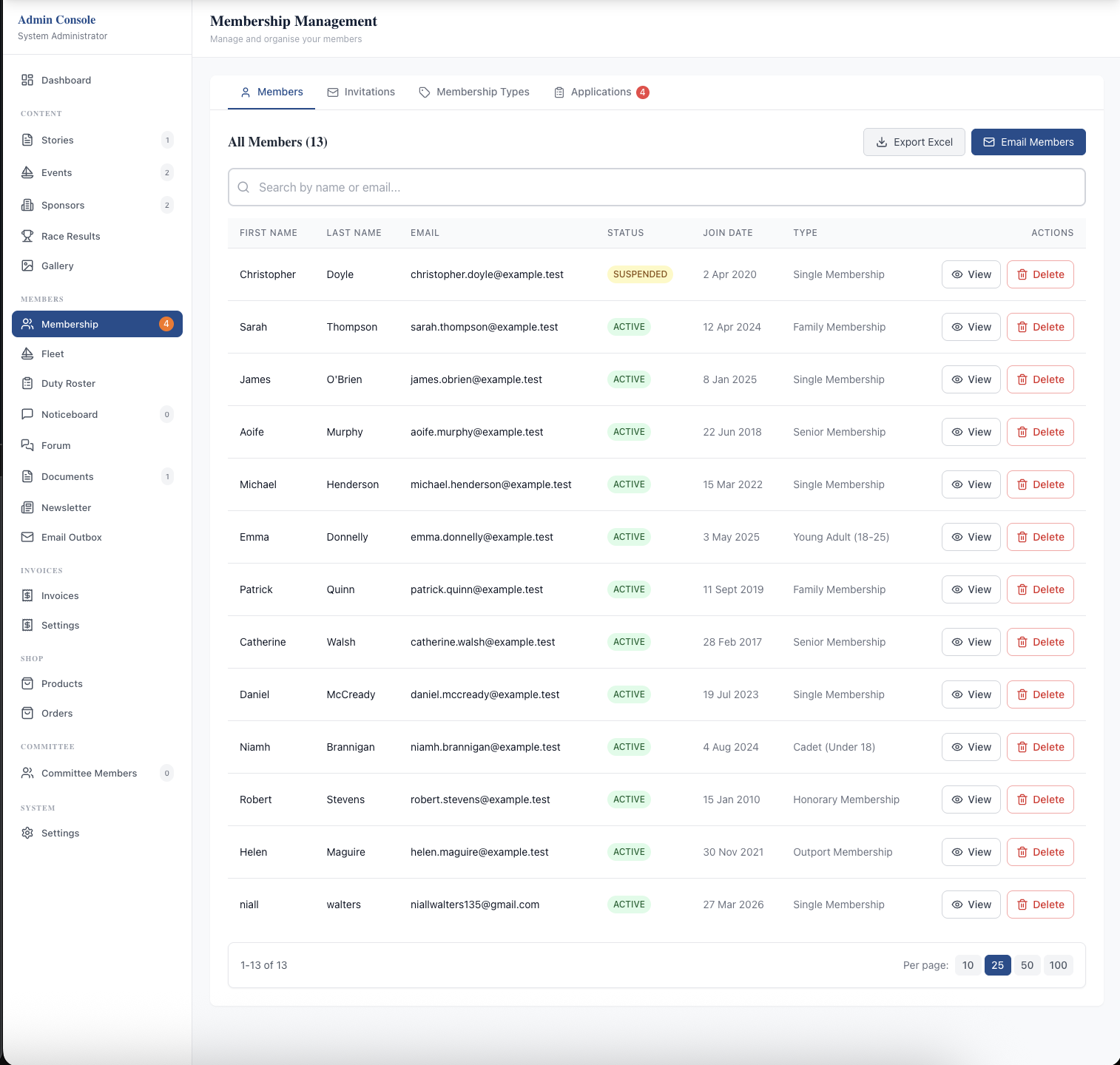
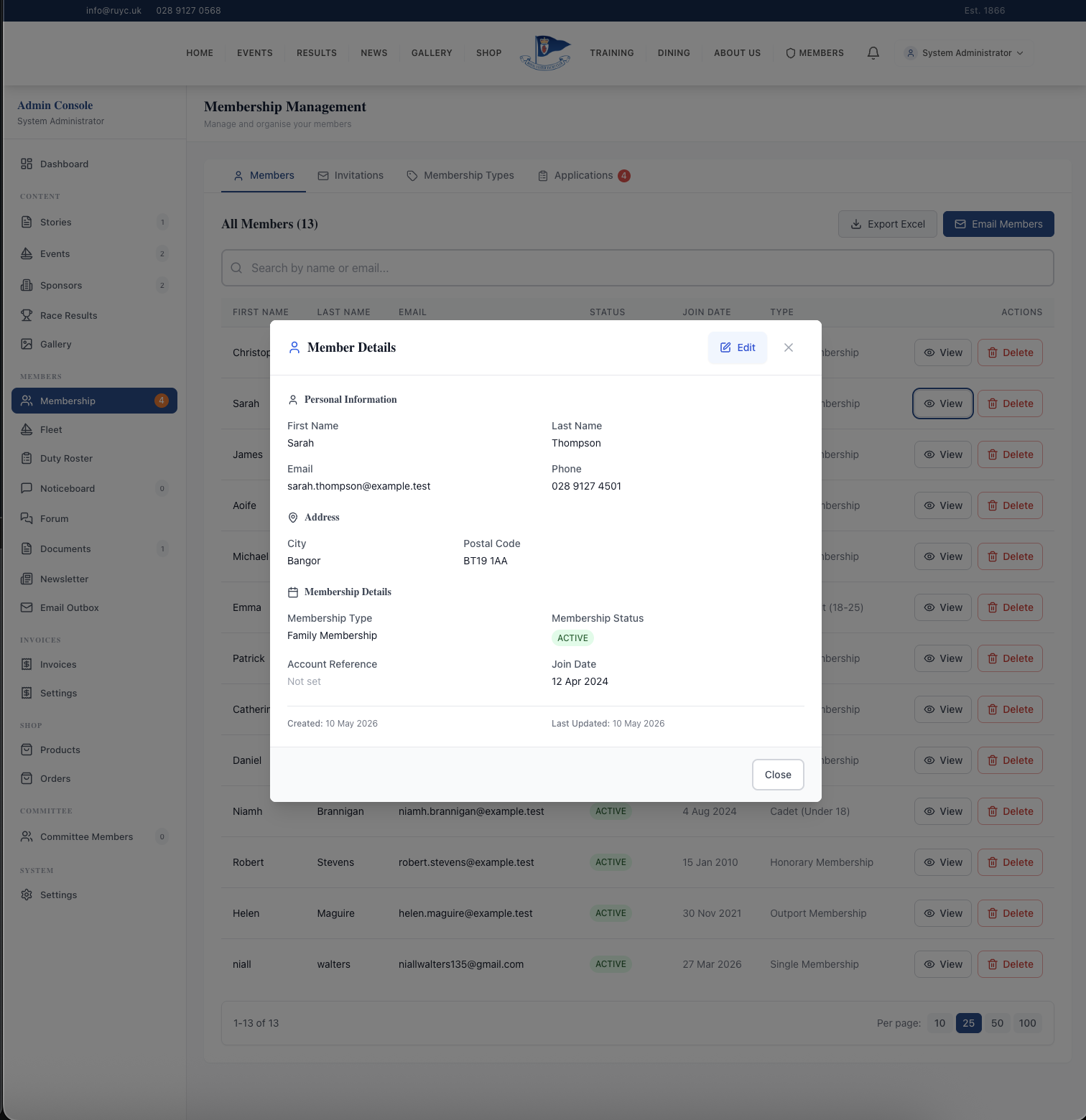
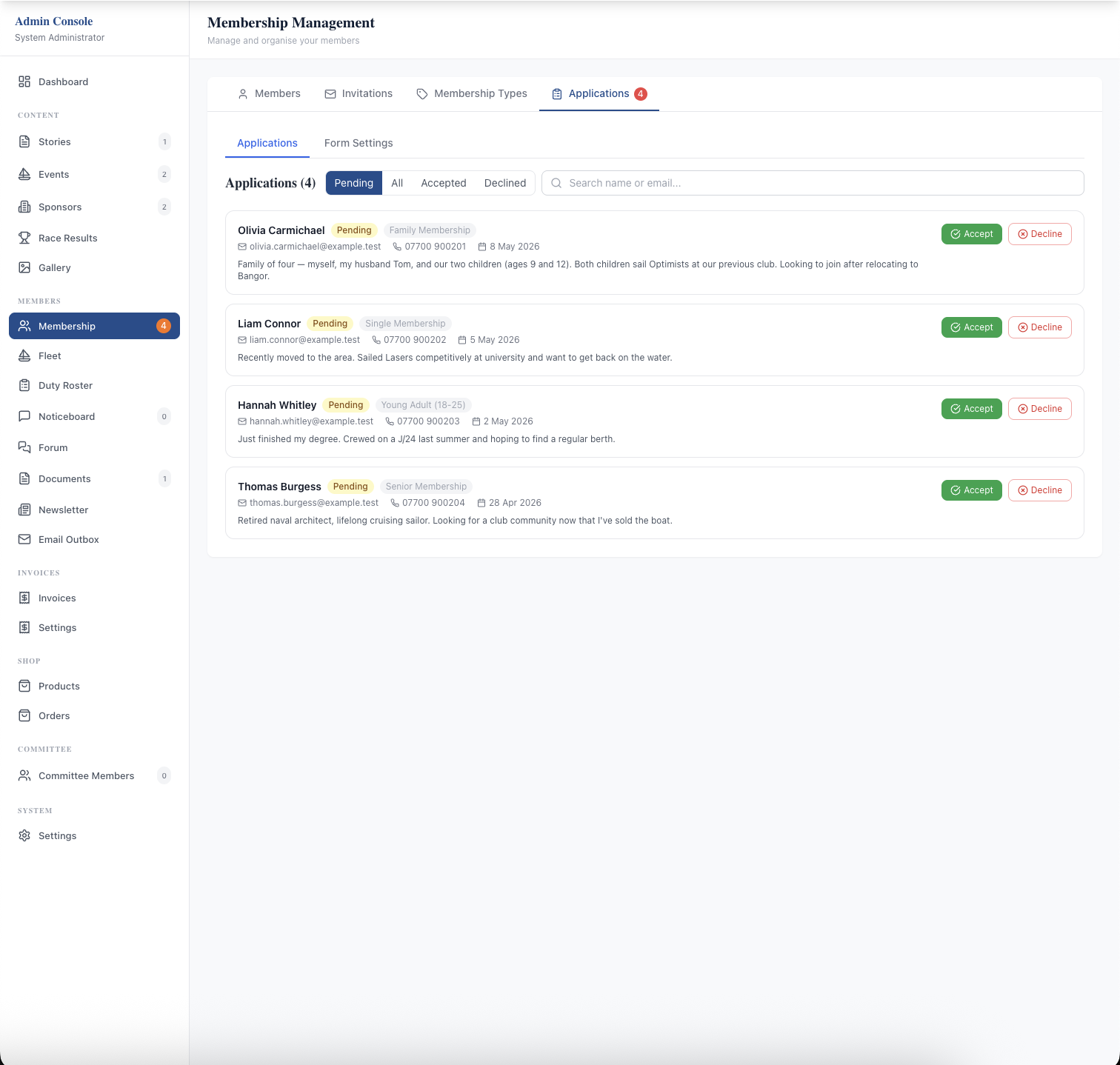
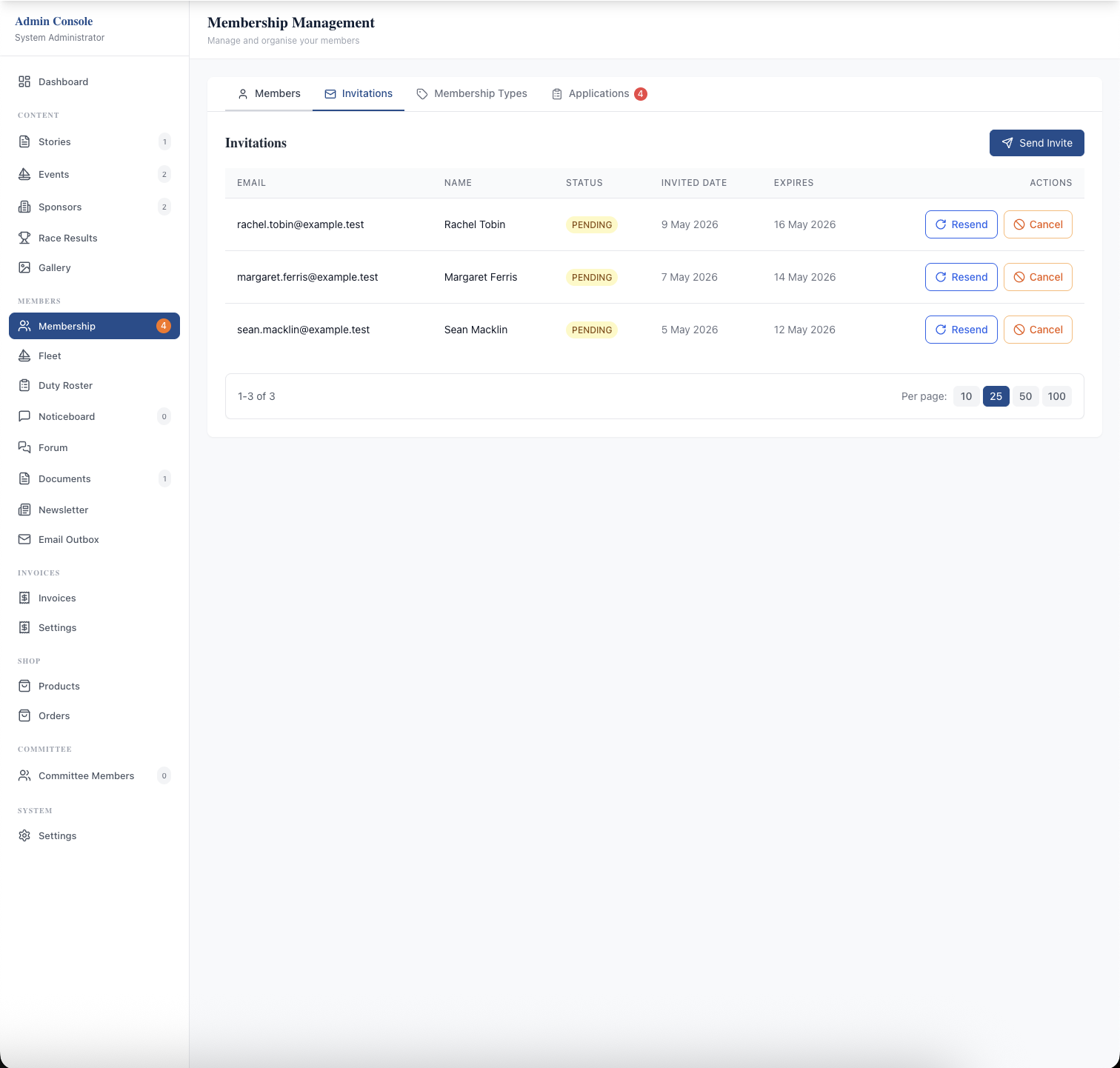
One admin screen runs your whole membership — active, pending, inactive, and suspended members in a searchable, sortable roster. Each profile holds name, email, phone, address, membership type, join date, status, plus linked boats, qualifications, emergency contacts, family members, and spouse details. Admins invite new members by email, approve or decline incoming applications, batch-issue renewal invoices, and export the full list to Excel in one click.
Members run their own side. Logged-in members update contact details, change their email via a two-step verification flow, and check their current status and join date without calling the office. Status changes (activated, suspended, cancelled) flow straight through to access control — a suspended member is logged out automatically and drops off newsletter recipient lists at the same moment.
In practice a new member joins via the public Join page, the secretary accepts the application in the admin panel, the member receives an invitation email with a password setup link, and from then on they're inside the members portal — receiving newsletters, paying renewal invoices, and updating their own details without a phone call to the office.
What sells it
- Configurable membership types — Full, Family, Junior, Associate, Honorary, or any names your club uses; add and retire types without rebuilding the roster
- Two join routes — direct email invitations from the admin panel, or public Join page applications via the configurable form builder
- Family memberships — primary member, spouse, and junior children on one household account so billing stays clean and every family member receives club email
- Email from the same screen as the records — single email from a profile, mass email a filtered group, or club-wide newsletter, with no CSV export
- Content-aware newsletters — tick which news stories, noticeboard entries, and member documents to feature; the platform assembles a branded email with titles, excerpts, and deep links
- Delivery tracking on every send — opens, bounces, and unsubscribes recorded per email; recipient lists update automatically as members join, leave, or change address
- Verified email changes — two-step flow with a six-digit code sent to the new inbox stops typo-locked accounts
- One-click Excel export of any filtered slice of the roster for committee reporting and AGM prep
Why this matters
A Google Drive spreadsheet can hold names and dues but cannot enforce access, send invitations, or give members a self-service portal. When email lives in Mailchimp or the secretary's personal Gmail, the recipient list is always slightly stale — members get emails after they've left, or stop receiving them when they move address. Records and communication on one source of truth means every send goes to the right people, every time.
Frequently asked questions
See related features: Custom Application Forms · Invoicing & Payments · back to Club Management Software.