Feature

News & Content

Publish stories with photos and categories straight to your public site. Save and it's live.

What it does

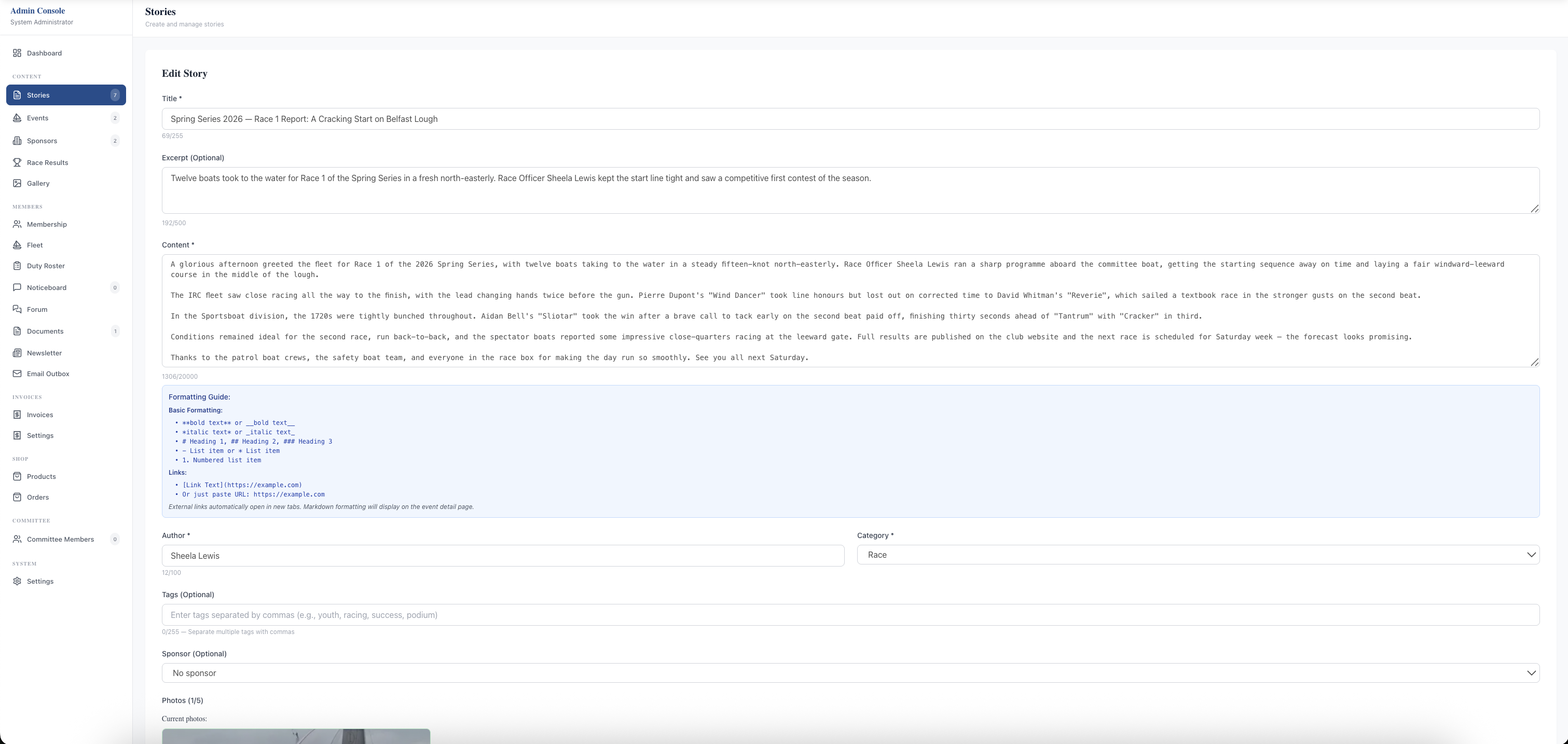
Publish news, race reports, AGM notices, and any other club content directly to your public website — no WordPress, no plugins, no separate login. Admins write stories in a single-screen editor with Title, optional Slug, Excerpt for card previews, full Markdown Content with a permanent formatting guide alongside, Author name, Category (Announcement, Race, News, Social), comma-separated Tags, optional Sponsor association, and a Photos uploader for up to eight images per story. Save = publish. Edits go live instantly.

Members and visitors see stories on the public News page — branded hero, Latest Stories card grid with thumbnail / category badge / date / title / excerpt / Read Full Story link, search across titles and body content, category filter pills, and pagination for longer archives. Each story has its own indexable URL on your domain, ready to share and findable by Google.

What sells it

  • One-screen editor — title, slug, excerpt, Markdown content, author, category, tags, sponsor, photos all on the same form with a permanent formatting guide
  • Up to 8 photos per story — automatic WebP conversion and CDN delivery for fast loading on mobile
  • Save = publish — no draft / publish workflow to forget; edits go live the moment you click Save
  • Category taxonomy (Announcement, Race, News, Social) plus free-text tags drive public filtering and discovery
  • Per-story sponsor association — sponsor name and logo render on the story page, useful when a regatta has commercial backing
  • Author attribution — credit the race officer, secretary, fleet captain, or any individual without giving them admin login
  • Indexable URLs on your own domain — every story is searchable by Google and shareable on its own merits, not buried in a Facebook feed
  • Newsletter integration — every published story is tick-to-include in the Send Newsletter composer

Why this matters

Clubs that publish only to Facebook or Instagram hand ownership of their content to a third party and lock out anyone without an account on those services. Publishing to your own website means content is findable by Google, shareable to anyone, permanent, and under your control — and the editor is simple enough that a volunteer race officer can write up a Saturday race report on Sunday morning in fifteen minutes, photos included.

Frequently asked questions

No. News publishing is built into the platform. Admins create and edit articles directly in the admin panel — no WordPress to maintain, no plugin updates, no separate login.

See related features: Gallery · Communications · back to Yacht Club Software.
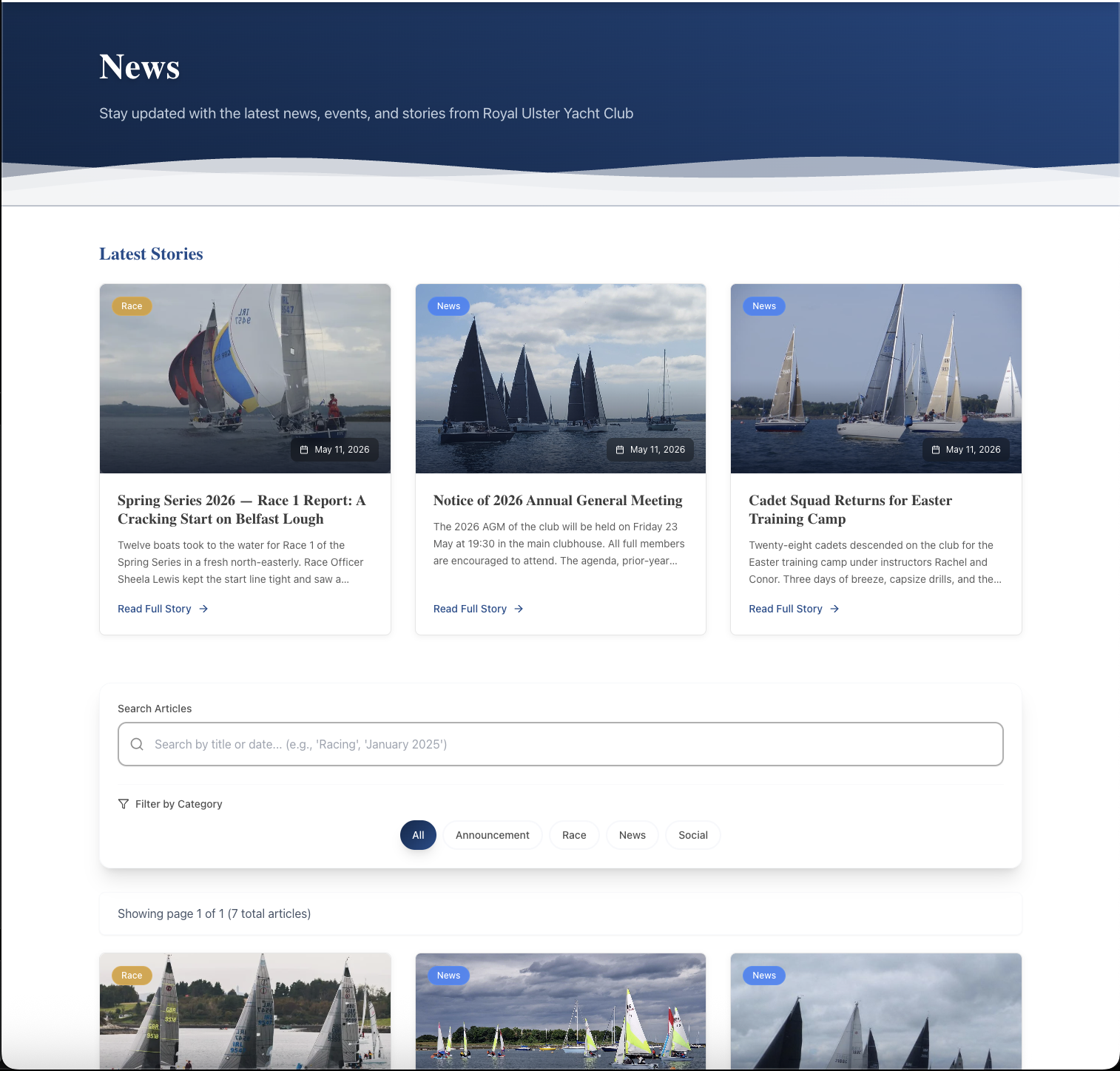
The public News page on the club website: a branded blue hero header reading "News — Stay updated with the latest news, events, and stories from Royal Ulster Yacht Club", a "Latest Stories" section heading, and a card grid showing the three most recent stories with thumbnail image, category badge (Race / News / News), publish date, title, excerpt, and Read Full Story link. Below the grid: a Search Articles input, a Filter by Category control with pill buttons (All, Announcement, Race, News, Social), and "Showing page 1 of 1 (7 total articles)" pagination text.
The public News page — branded hero, card grid for the latest stories, search-by-title-or-text, category filter pills, and pagination. Every story has its own indexable URL on your domain.
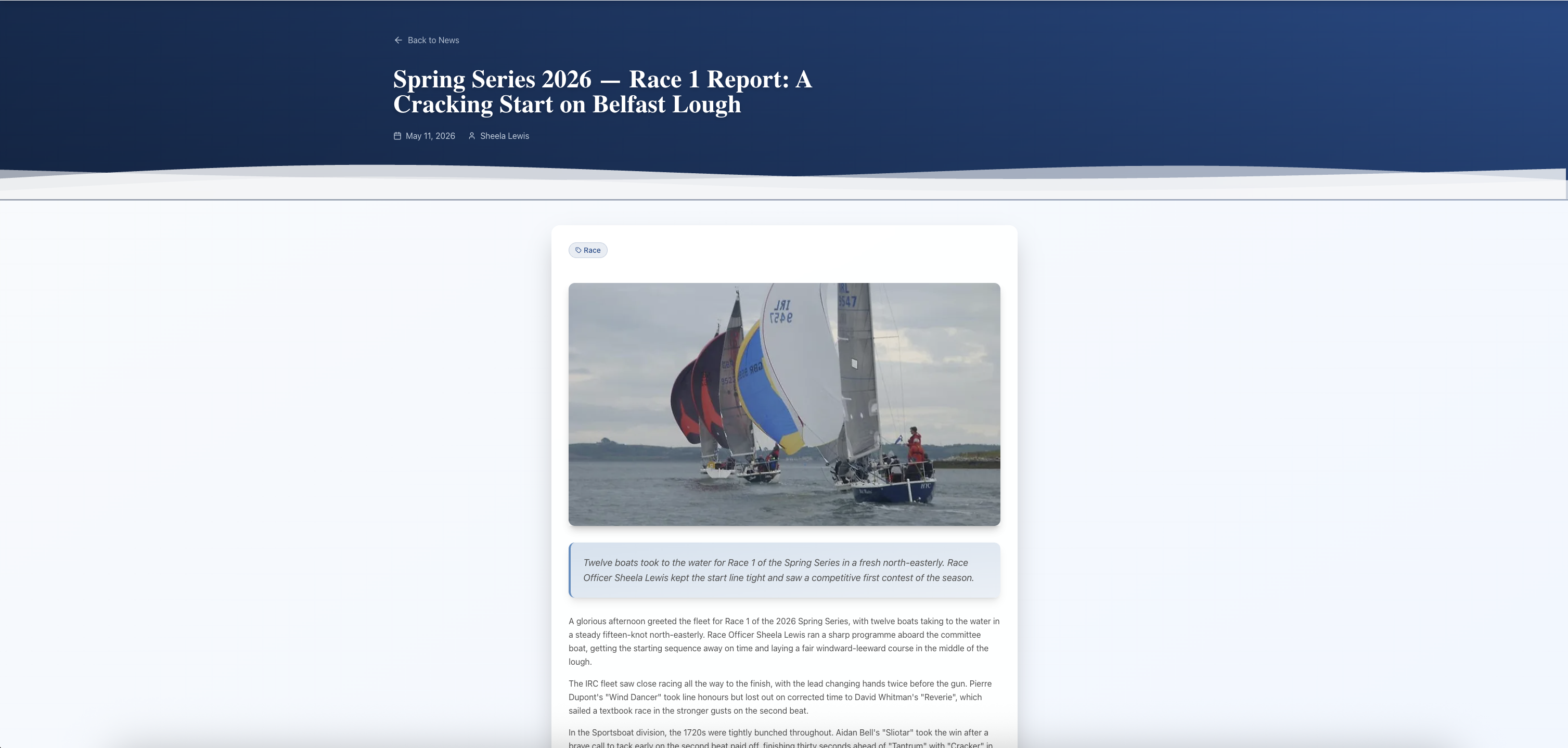
An individual story page on the public site: a "Back to News" link at the top, a large story title "Spring Series 2026 — Race 1 Report: A Cracking Start on Belfast Lough", the publish date (May 11, 2026), the author (Sheela Lewis), a Race category badge, a hero cover photo of three sailboats on the lough, and the full Markdown-rendered article body beneath.
Individual story page — clean reader layout with title, date, author, category, hero photo, and the Markdown-rendered body. Indexable, shareable, on your domain.
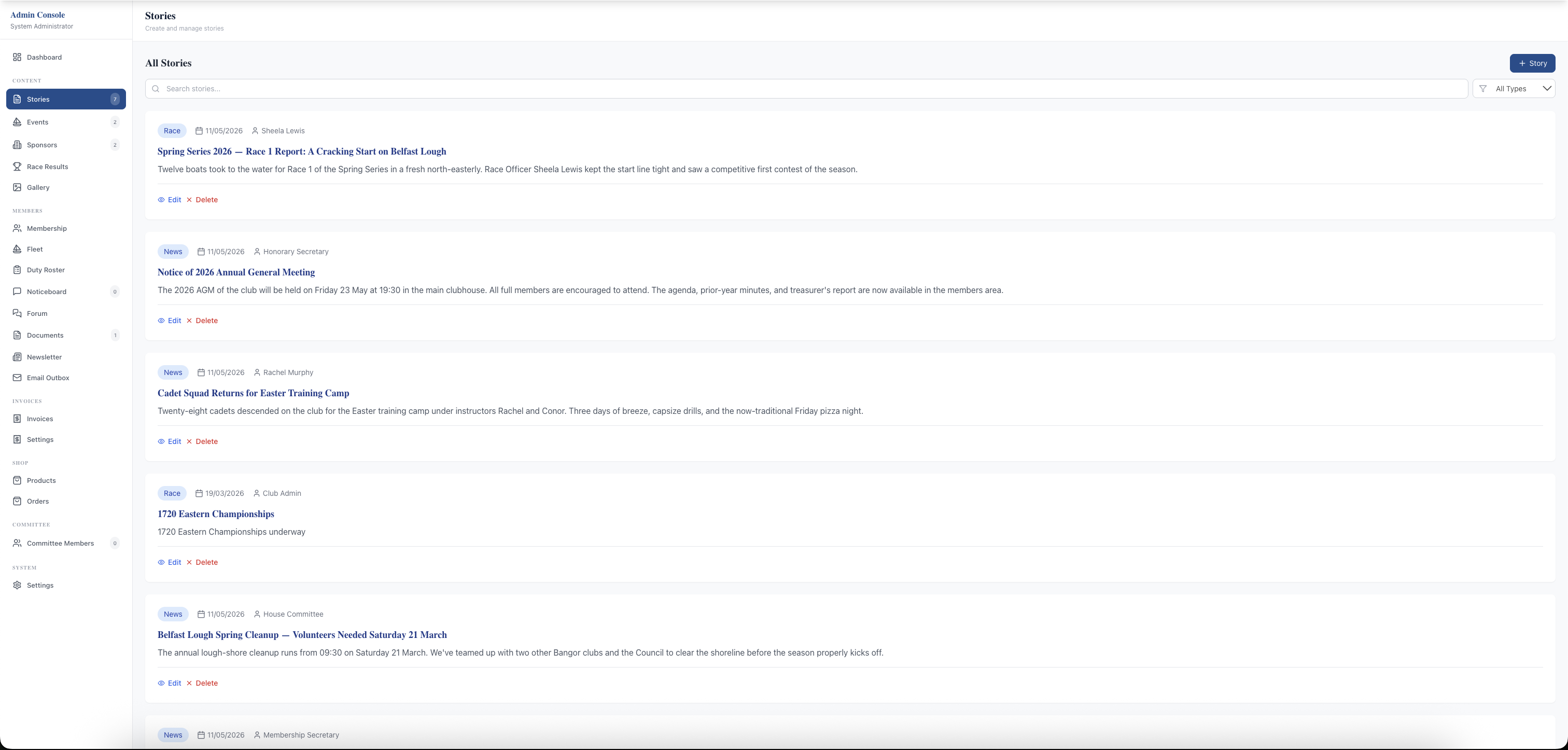
The admin Stories list page: title "Stories — Create and manage stories", a "+ Story" button and an "All Types" filter on the right, a search box, and a vertical list of stories — each row showing a category badge (race or news), publish date, author name, full title, excerpt, and inline Edit and Delete actions. Six demo stories are visible spanning racing, AGM notice, cadet training, regatta championship, lough cleanup, and membership renewals.
Admin Stories list — every article in one searchable view with category filter and inline Edit/Delete per row. Click + Story or Edit to open the editor.
The Edit Story form: header "Edit Story", a Title field populated with "Spring Series 2026 — Race 1 Report: A Cracking Start on Belfast Lough", a Slug (Optional) field, an Excerpt (Optional) textarea, a large Content textarea with the full race report in Markdown, a blue Formatting Guide box listing markdown syntax (bold, italic, headings, lists, links), an Author field with "Sheela Lewis", a Category dropdown set to Race, a Tags (Optional) comma-separated input, a Sponsor (Optional) dropdown set to No sponsor, and a Photos (0/8) section visible at the bottom.
Edit Story — everything in one form: title, slug, excerpt, Markdown content with a permanent formatting guide, author, category, tags, sponsor, and up to 8 photos. Save = live.

Related features

See News & Content in action — book a 20-minute walkthrough.