Feature

Gallery

Photo albums for race days, socials and the club archive, managed from the admin console.

What it does

Administrators create named photo galleries — one per event, race day, or occasion — and upload images directly to each. Photos are stored on S3 and automatically converted to WebP for fast loading. The public gallery page shows every gallery as a card with cover image and date, searchable by title and paginated 12 per page so years of archive stay navigable. Clicking a gallery opens the full set in a lightbox viewer with thumbnail filmstrip, prev/next arrows, and a position indicator so visitors can page through every shot from the day without leaving the site.

The admin gallery dashboard handles creation, edits, photo uploads, and deletion. Gallery titles and dates are editable, photos can be added or removed at any point, and the admin search makes it quick to find a specific gallery to update after a race day. No member login is required to view galleries — race-day photos are public so families, crew, and prospective members can share them.

What sells it

  • Lightbox viewer with thumbnail filmstrip, prev/next arrows, and position indicator — full-screen photo browsing without leaving the site
  • Automatic WebP conversion on S3 storage — galleries load fast on mobile even with dozens of high-resolution race shots
  • Public access by default — visitors and family without club accounts can see race-day photos, unlike a Facebook album
  • Search by gallery title on the public listing — find photos from a specific event without paging through the full archive
  • Pagination at 12 galleries per page so years of archive present as a navigable catalogue, not an endless scroll
  • Indexable on your domain — gallery pages are findable by search engines, unlike Facebook posts that scroll off the feed
  • One-screen admin dashboard — create, edit titles and dates, add or remove photos, delete galleries

Why this matters

Facebook and Instagram aren't an archive — posts scroll off feeds, older content is suppressed by algorithms, and visitors without accounts cannot see anything at all. A photo gallery on your own club website stays permanently accessible, is findable by Google, and gives prospective members a real sense of what the club looks like on a race day.

Frequently asked questions

Publicly accessible. Anyone can browse galleries and view photos without creating an account, which makes it useful for sharing race-day photos with families, crew, and the broader sailing community.

See related features: News & Content · Race Results · back to Yacht Club Software.
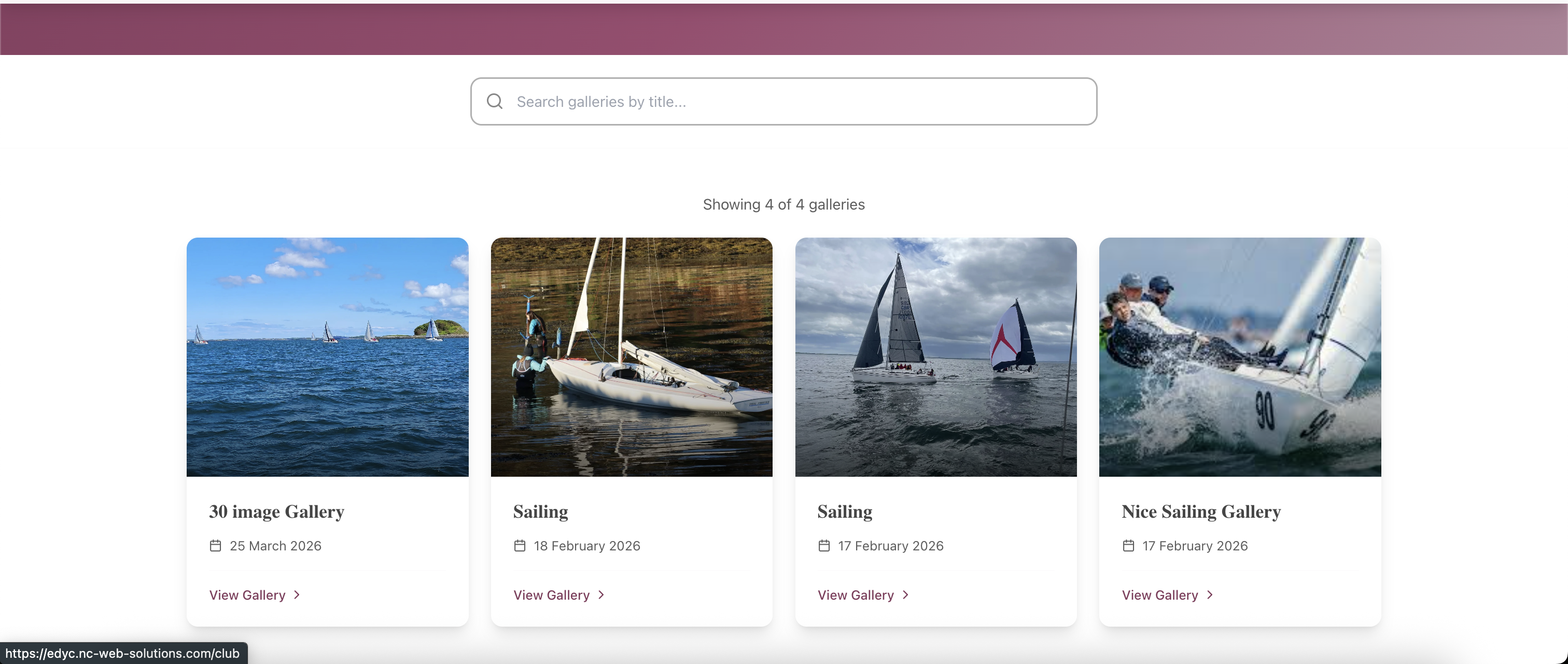
Public-facing Gallery listing page on a club site: a search bar reading "Search galleries by title", "Showing 4 of 4 galleries", and four gallery cards each with a cover photo (lighthouse and yachts on the lough; a moored yacht against a stone harbour wall; two yachts under spinnaker; a 1720 sportsboat hard on the wind with crew hiking out), title (30 Image Gallery, Sailing, Sailing, Nice Sailing Gallery), event date, and a "View Gallery" link.
Public gallery listing — every gallery is a card with a cover image, title and date; visitors search by title and click "View Gallery" to open the full set, no login required.
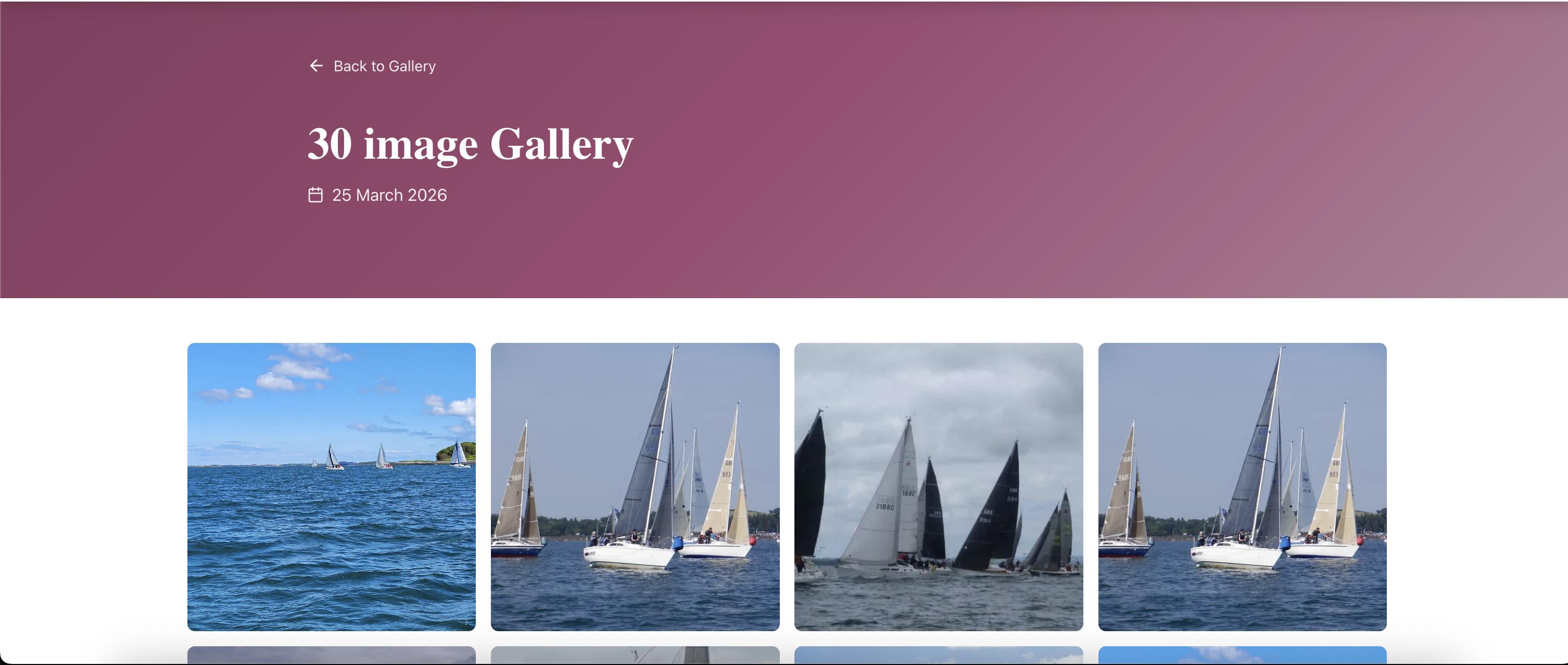
Gallery detail page header: a maroon hero header with "Back to Gallery" link, the gallery title "30 Image Gallery", and the event date "25 March 2026"; below the header a thumbnail grid begins with four photos of yachts racing on Belfast Lough (a single yacht far out on the water, a fleet of yachts close-hauled with hoisted spinnakers, multiple yachts converging, and a yacht under full sail).
Gallery detail page — clean header with title and event date, then a thumbnail grid of every photo in the gallery; clicking any thumbnail opens the lightbox viewer.
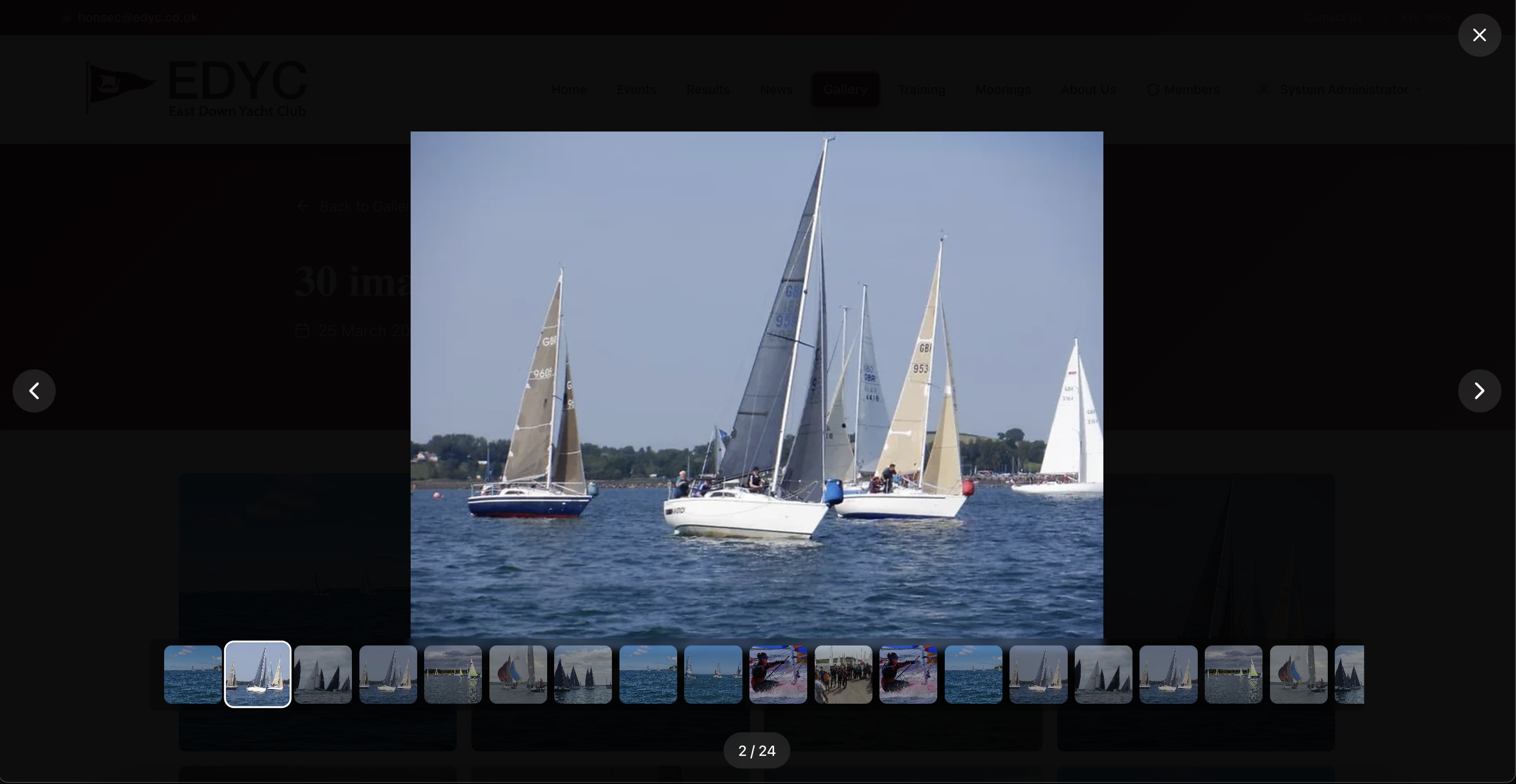
Lightbox viewer open over the gallery detail page: an East Down Yacht Club ("EDYC") branded backdrop, a large central image of three yachts mid-race with hoisted sails and crews working the rails, a horizontal filmstrip of thumbnails along the bottom showing the rest of the gallery, left and right chevron arrows for paging, a close (×) button top-right, and a "2 / 24" position indicator.
Lightbox viewer — full-screen photo browsing with a thumbnail filmstrip, prev/next arrows, and position indicator so visitors can page through every shot from the day without leaving the site.
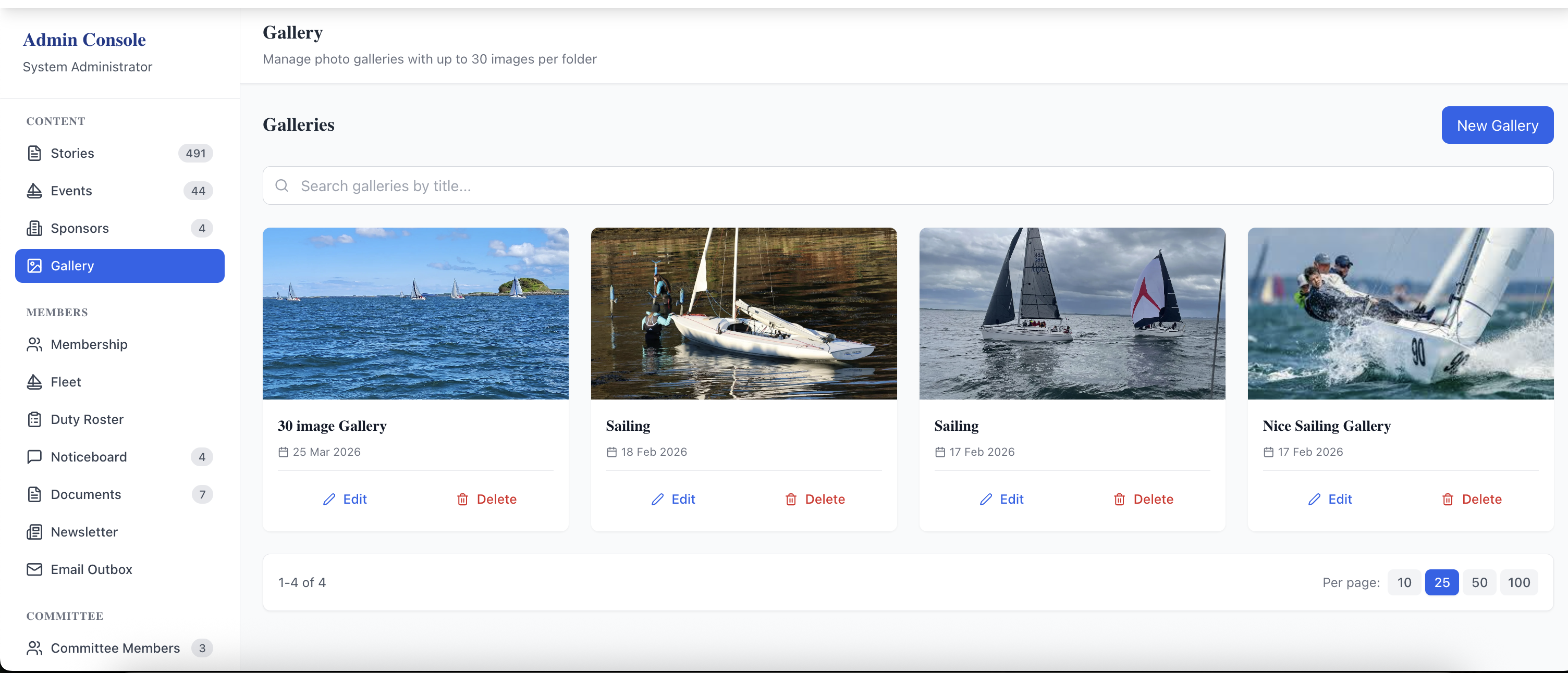
Admin Console Gallery management page: left sidebar showing the admin navigation (Stories, Events, Sponsors, Gallery selected, Membership, Fleet, Duty Roster, Noticeboard, Documents, Newsletter, Email Outbox, Committee Members), a "Manage photo galleries with up to 50 images per folder" header, a "New Gallery" button, a search bar, four existing galleries each shown as a card with cover image, title, date, and Edit / Delete buttons, and a "1-4 of 4" footer with page-size selector.
Admin Gallery dashboard — create new galleries, search and paginate existing ones, edit titles and photos or delete a gallery, all from one screen.
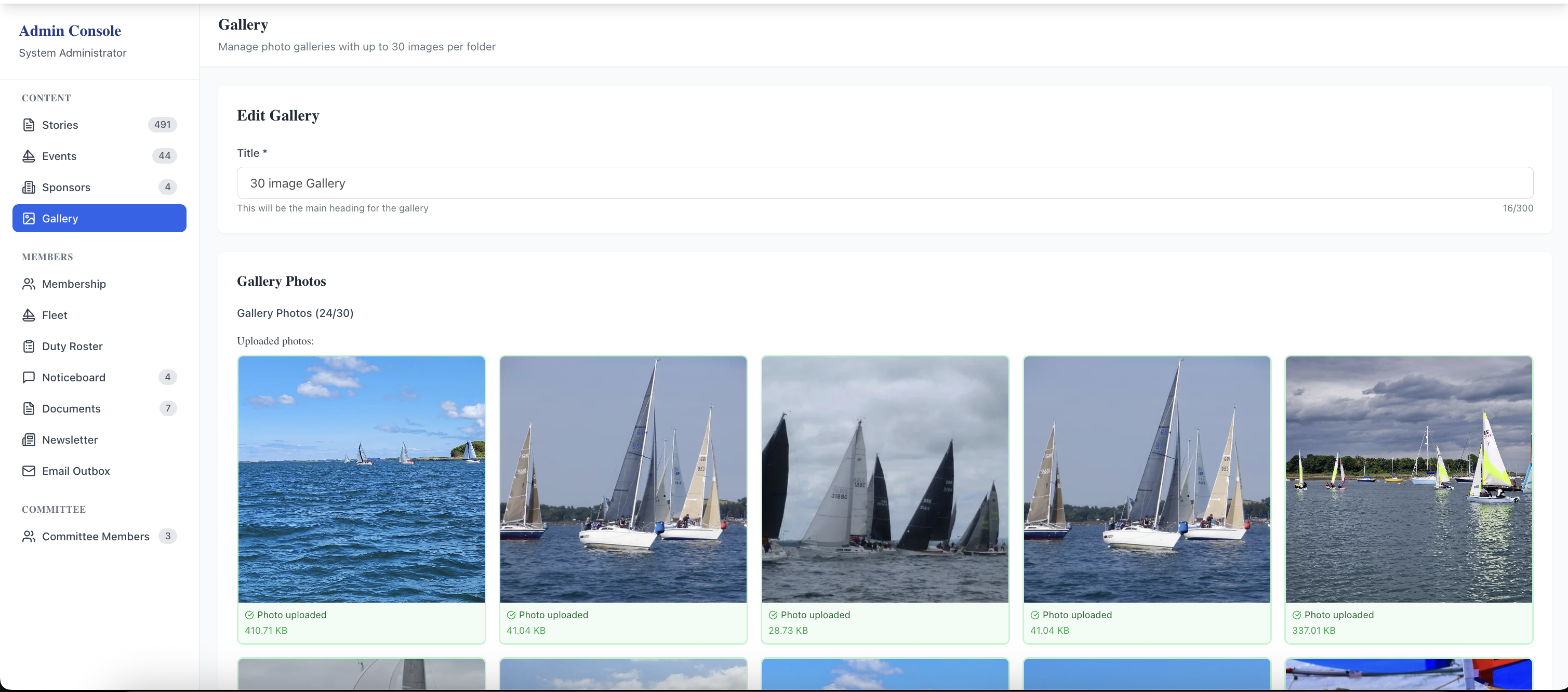
Admin "Edit Gallery" page: an "Edit Gallery" panel with a "Title" field containing "30 Image Gallery" and a "This will be the main heading for the gallery" helper text, then a "Gallery Photos" section reading "Gallery Photos (24/30)" — "Uploaded photos" — with a grid of recently uploaded race-day thumbnails each showing the original filename and size below (e.g. "Photo uploaded · 415.71 KB").
Edit Gallery view — change the title, see the running upload count against the 50-image folder limit, and review every uploaded photo with its filename and size for quick auditing.

Related features

See Gallery in action — book a 20-minute walkthrough.